Top Law Matter Management Software in 2023: Streamline Your Legal Practice

Staying organized and finding the information you need helps you work more effectively in your law firm.

Too many lawyers lose valuable hours they could spend on billable work. One solution to that challenge is to choose the right legal technology to manage your law firm. Legal matter management software can help lawyers stay organized, efficient, and competitive.

At a broad level, these tools can ensure that all of your case information and law firm practice processes are as automated and streamlined as possible.

Choosing the right law matter management software requires thinking about what you want from a tool and comparing them against feature sets and software reviews.

Matter Management vs. Case Management vs. Practice Management

Case management and matter management are distinct but have heavy overlap.

Case management software is often used by those lawyers involved in cases with a high volume of documents or coordination with other lawyers. Case management systems help lawyers organize and track all these materials.

Matter management, however, extends beyond the organization of documents and dives into many tasks involved in a legal practice. Key features for these tools include things like:

  • Creating and opening a legal matter
  • Assigning lawyers and other team members to members
  • Researching materials for cases
  • Setting timekeeping expectations
  • Calendaring
  • Reviewing data on who worked on which matters.

Overall, matter management allows law firm leaders to see how the firm’s staff and resources are allocated to specific cases to determine if this moves the firm towards bigger goals.

Many practice management tools roll up case management and matter management features. Some popular tools provide the full benefits of comprehensive practice management software.

Top Law Matter Management Software Tools

There are plenty of options in the market for law firm matter management software.

We’ve rounded up some of the top tools with law matter management features that could improve your law firm’s productivity and operations.

Many of these tools have crossover, with most core features in common. For this list, we focused on what lawyers and law firm staff have to say about these tools in action to give you an idea of any drawbacks to be aware of. 

The tool’s pricing, basic features, and major cons will help you decide whether it’s something you want to try. 

1. Clio

Clio logo

Clio is one of the most popular case management tools on the market, and the pricing starts at only $39/month, making it accessible. You can handle many key tasks for a case right inside Clio, including attaching scheduled events, billed time, invoices, contacts, and documents to each case.

You can also automate client intake and communication with clients through Clio. Their software is cloud-based, so you can use it whenever you need to. Perhaps the biggest selling point of Clio is the hundreds of integrations that allow you to optimize your systems and processes.

Although Clio has plenty of positive reviews from law firms, there are some downsides.

Some attorneys feel it’s too complicated for solo and small firms and that while it comes with lots of features and integrations that it’s too hard to get an “at a glance” view of your law firm.

Other notable problem issues reported by lawyers and their staff include:

  • Concerns about too many notifications
  • Difficulty scheduling multiple client matters on the same court date
  • A high learning curve
  • The scope of integrations can be overwhelming

2. PracticePanther

PracticePanther gets high marks for its easy-to-use interface, which means many lawyers are able to get up to speed quickly without any outside support.

It comes with 30 integrations, which might be too limited for some firms who want maximum connections with other tools. While limited, it does include tools like include Zapier, LawMatics, Smith.ai, and Google Calendar. 

The cost for PracticePanther starts at $49/month. Many desirable features, like the ability to set up flat-fee billing, only come with the top pricing tier at $89/month.

PracticePanther has some other limitations, such as that you can’t fully automate your client intake process.

Firms using this tool also report:

  • Difficulty reading the onboarding instructions
  • Lags in the middle of the day during heavy usage
  • Challenges scheduling meetings with internal and external people
  • Problems getting timely support from their customer service team

3. MyCase
MyCase has some strong advantages when it comes to billing options, potentially eliminating the need for law firm billing software. You can set up contingency billing, flat fee, pro bono, and hourly, so you can customize what works for each client.

Many clients want to see flexibility in payment options for legal services, so this could be an easy way for your law firm to branch out and improve your firm profitability

MyCase pricing starts at $39/month.

MyCase, as noted by reviewers, is not what everyone expects from a one-stop shop for legal matter management software. It has limited integrations, and the payment and practice management programs are located on different platforms.

Firms using MyCase also express dissatisfaction with things like:

  • Lack of clarity over processing fees
  • Being charged separately for some integrations
  • Customer service issues
  • The amount of time it took to set the firm up
  • Lack of customization

4. Smokeball

SMOKEBALL logo

Smokeball has some leading integrations that can really boost law firm productivity, such as with QuickBooks and LawPay. It also has built-in time-tracking software features, including grabbing time from things spent in places like Outlook or Word.

Their pricing starts at $29/month for basic access, but their highest-tier plan is one of the most expensive at $149/month.

One big problem with Smokeball is that it’s not cloud-based, so you can’t access it anywhere. If you spend a lot of time outside of your office, this tool may not be the right choice for you.

Some of the challenges reported by firms using Smokeball include:

  • Lack of clarity over the frequency of file backup
  • No being able to use it on Apple computers
  • Lack of robust intake or lead management options
  • Having to manually enter client info if coming over from another software

5. CARET Legal (Formerly ZolaSuite)

This tool is most helpful for lawyers who need help with time tracking. There are numerous options to track your time in this cloud-based program, but the rest of the tool lacks full automation.

Other solid features include client intake support and back-office data reporting. You can score this software starting at a rate of $79/month.

Some lawyers and law firm staff say the tool’s biggest downsides are:

  • Lack of automated triggers
  • Limited document assembly tools
  • Difficulty viewing displays (emails that overtake the screen or small fonts)
  • Search options are not comprehensive or intuitive
  • The iOS app doesn’t perform at the same level as the desktop program

6. CosmoLex

This tool helps from end to end with clients, from intake to billing. CosmoLex is popular because of its integrated accounting and time tracking.

A major asset is the Money Finder feature, which scans for billable work that remains uninvoiced. Their pricing starts at $89/month.

Some issues to consider when it comes to CosmoLex include:

  • Inflexible pricing (paying for features you don’t need)
  • Limited integrations with other apps
  • Accounting glitches reported by users
  • Clunky and slow processing of payments and invoices
  • It’s hard to edit timesheets

Benefits of Law Matter Management Software

Law matter management software and tools that provide matter management functionality can bring a number of benefits to your law firm.

The biggest advantages of law matter management software or full-suite practice management software include:

  • Increased efficiency and productivity
  • Better communication and collaboration
  • Enhanced data security and compliance
  • Easy access to the information you need for all cases
  • Ability to track and respond to data
  • Consistency across client service
  • Improved client satisfaction and retention
  • Cost savings and increased revenue

As with any software, choosing the right tool requires thinking about what your law firm needs. Then you can align those needs with the features provided by some of the best tools on the market.

You need to know your firm and the staff members who will interact with any matter management software to make the best selection. If you already have legal tech tools, such as a practice management suite, that covers these functions, then matter management software won’t make a difference.

Choosing the Right Software for Your Law Firm

If you already use some technology in your firm to streamline and automate things, you might choose a matter management tool that integrates well with your existing tools.

If you’re in the market for a more comprehensive solution, you might choose software that offers combined benefits. This could eliminate the need for separate software for things like billing and invoicing.

Consider the law firm software that will help you provide better service, enhance profitability, and experience more streamlined operations to achieve your goals.

The post Top Law Matter Management Software in 2023: Streamline Your Legal Practice appeared first on Rankings.


10 Top Appointment Scheduling Software Tools for Lawyers

As a lawyer, managing appointments and deadlines can be a daily challenge.

Balancing appointments, consultations, and meetings with your other work can make or break your law firm’s success. Staying on top of your schedule is essential for providing a seamless experience for your clients.

This is where appointment scheduling software comes in.

These powerful tools can help you and the staff at your law firm manage time more effectively. With features like text or email reminders, client self-booking, and integrations with your other law firm software, appointment schedulers can unlock new productivity for law firms improving the client experience.

How Appointment Scheduling Software May Help Your Law Firm

In a law firm, time is money. Efficient appointment scheduling allows you to minimize downtime and keep your focus on the tasks that matter most.

Juggling multiple calendars, client calls, and emails can quickly become overwhelming, leading to missed appointments and frustrated clients.

Appointment scheduling software simplifies this process, allowing you to streamline your workflow and make the most of your billable hours.

The most significant advantage of appointment scheduling software is the time it saves your firm.

By automating the scheduling process, you can avoid playing phone tag and endless back-and-forth email chains. With the right software, clients can self-schedule appointments at their convenience, freeing up your staff to focus on more pressing matters.

Appointment scheduling software not only saves time but also improves communication with your clients.

These tools can also save you time with non-client meetings. You can use them to make coordinating appointments with vendors, staff members, and even other lawyers even easier.

For example, if you need to find a time to meet with opposing counsel, you can send them your meeting link and allow them to find a time that works with their schedule.

Automated reminders and confirmations ensure that both parties are on the same page and reduce the likelihood of no-shows. The result? Happier clients, fewer missed meetings, and a more efficient law firm.

If you have an effective way to market your law firm to new clients, giving them a way to easily schedule with you can make capturing leads a lot easier.

Top Appointment Scheduling Software Solutions for Law Firms

The market offers a wide range of appointment scheduling software solutions tailored to the unique needs of law firms.

To help you determine the best fit for your firm, we’ve curated a list of top appointment scheduling tools specifically designed for lawyers or offering features that can greatly benefit legal professionals.

1. Microsoft Bookings

If your law firm is a Microsoft 365 or Office 365 subscriber, you may already have a solution for appointment scheduling.

Microsoft Bookings is an appointment scheduling tool that is available in some Microsoft 365 plans. It offers seamless integration with Microsoft Teams and lets you create a client-facing booking page.

Clients can book the time that works best for them and meet you in person, by phone, or through a Teams video call. Bookings even makes it so clients can join a Teams meeting without an account.

Key features of Microsoft Bookings include:

  • Part of the Microsoft 365 suite
  • Allows joining Teams meetings without an account
  • Customizable booking page
  • Email and SMS reminders

If your law firm relies on Microsoft products, this may be a good solution for you. There may be a few things to be aware of, though.

Some users say that Bookings requires a lot of upfront configuration. They add that, despite the need for configuration, their ability to customize their Bookings page is limited.

2. Google Calendar

If your law firm isn’t a Microsoft workplace, there’s a good chance you use Google Calendar instead.

Google Workspace users can set an appointment schedule in Google Calendar.

This feature allows you to set your availability and create a booking page. You can also set details about the appointment, such as where it will take place and how far in advance someone can schedule an appointment.

To get access to this feature in Google Calendar, you must be a Google Workspace customer. Pricing for the business standard plan starts at $12/month for every user.

Key features of appointment scheduling:

  • Fully integrated with Google Workspace
  • Personalized booking page
  • Automated reminder emails

Appointment scheduling with Google Calendar does come with some drawbacks.

When it comes to meeting locations, you can only select in person, over the phone, or via Google Meet. There are no options for popular tools like Zoom or GoToMeeting.

You can’t automatically add team members to booked appointments. This means if you always have a paralegal in attendance for certain meetings, you’d need to manually add them each time.

3. HubSpot

Hubspot logo

HubSpot is a well-known sales and CRM platform. It also offers a free appointment scheduling solution.

If you use HubSpot as your legal CRM, then this may be the right option for you. This tool lets you set your availability so that clients can choose a convenient meeting time. The added benefit is that their information goes right into your CRM.

HubSpot’s tool also allows you to create a booking calendar that you can embed on your website. This makes a great addition to your law firm’s contact page.

Key features of HubSpot’s scheduler include:

  • Integrated with HubSpot’s sales and CRM platform
  • Two-way sync with Google and Office 365 calendars
  • Group meeting and round-robin meeting options
  • Personalized scheduling links for individual team members
  • Automated email reminders and email sequences
  • Time zone detection features
  • Embeddable calendar widget for your law firm’s website

If you already have a CRM, HubSpot’s meeting scheduler may not be for you. It’s most beneficial when paired with the other parts of the suite. Taken on its own, HubSpot Meetings offers many of the same benefits as other standalone tools on this list.

4. Clio

Clio logo

Clio is a full-featured legal practice management software. As such, it includes an appointment booking feature on some pricing tiers.

Clio’s calendar integrates with popular calendar apps, such as Google Calendar and Outlook. Two-way integrations ensure that Clio and your preferred calendar stay in sync.

Pricing options for Clio vary. To get access to Clio Scheduler and appointment booking features, you would need to pay at least $69/month for the essentials plan plus another $49/month for the Clio Grow add-on.

Some key features of Clio Scheduler include:

  • Customizable appointment booking preferences
  • Google My Business bookings
  • Electronic payment functionality
  • Tight integrations with the rest of the Clio suite

With its comprehensive suite of features, Clio is a popular choice for law firms. If you already use this software in your law firm for things like case management and document management, then the appointments feature may slot right into your law firm’s workflows.

If you don’t use Clio in your law firm, then it’s probably not worth getting just for the scheduling feature.

5. Calendly

Calendly offers a simple and intuitive interface for appointment scheduling. But that doesn’t mean it’s not a powerful tool.

Potential clients can self-schedule based on the availability you set. It allows for group event scheduling and features time zone auto-detection, ensuring a seamless experience for people across different locations.

Calendly offers a free plan with generous features for you to try out. For more advanced features, pricing starts at $8/seat/month, billed annually.

Key features of Calendly include:

  • One-on-one, round-robin, and group scheduling
  • Time zone auto-detection
  • Customizable availability settings
  • Integrations with Google, iCloud, Outlook, and other calendar apps
  • Automated reminders and notifications

Calendly is one of the most popular standalone booking tools, and it has a number of benefits. There are a few things to be aware of, though.

Although the tool lets people schedule meetings according to their availability, it doesn’t show them their own. That means they have to cross-reference your Calendly time slots with their own calendar.

6. Acuity Scheduling

Acuity Scheduling is a versatile appointment scheduling software that offers flexibility and customization for legal professionals. While it isn’t just for lawyers, there are a lot of options to like here.

It allows you to set and adjust your own availability. This allows clients to self-schedule appointments at a time that works best for them. Acuity also allows you to set up automated meeting reminders, reducing no-shows.

You can place a booking form on your law firm website so that potential clients can set a time to meet with you. These forms are customizable, so you can add your own styling to them.

Acuity Scheduling’s pricing starts at $16/month, billed annually. That only gets you one seat and limited features, though. At $27/month, you’ll see more important features and can add up to 6 staff members. They do offer a 7-day free trial to see if the software meets your needs.

Some key features of Acuity Scheduling include:

  • Customizable booking forms
  • Automated email and text reminders and confirmations
  • Calendar sync with Google, Outlook, Office 365, and iCloud
  • Calendar links for sharing
  • HIPAA compliance features

While this tool does have customization features, some users have noted that it wasn’t robust enough to fit their needs.

7. Setmore

Setmore’s key selling point is that it’s a free appointment scheduling app. While there is a free tier, you’ll have to pay to access important features.

Fortunately, the paid plans for Setmore are $5/user/month when billed annually. With a paid plan, you get access to features like two-way sync and email and SMS reminders.

With an easy-to-use booking page, clients can schedule appointments without hassle. This reduces the time you and your team need to spend on manual scheduling.

Key features of Setmore on the paid plan include:

  • A custom booking page
  • iOS and Andriod apps
  • Email and SMS reminders
  • Two-way calendar sync
  • Payment processing

With its low entry price, Setmore may be an excellent choice for new and solo law firms. Before signing up with this one, note that some customers have complained of occasional bugs and syncing issues.

8. 10to8

10to8 is a feature-rich appointment scheduling solution designed to streamline the booking process. With a two-way calendar sync, you can keep your schedule up-to-date across various calendar platforms. The customizable booking form allows for a personalized client experience.

10to8 bases its pricing on both the available features and the number of appointments you can take per month. At $7.20/seat/month, you’ll get 40 appointments, for example.

Some key features include:

  • Two-way calendar sync with Google, Outlook, and more
  • Customizable booking page
  • SMS and email reminders
  • Reporting and analytics

Basing the pricing for this tool in part on the number of appointments you can make may turn some people away. Additionally, some users note that the dashboard is a bit confusing on the backend of the tool.

9. SimplyBook.me

SimplyBook.me is a multichannel booking system. In addition to a customizable booking website, you can also set the tool up for bookings through Facebook, Instagram, and Google Maps.

These integration options for different platforms could make scheduling more accessible to clients.

These are useful features, but there are some drawbacks. The tool limits the number of meetings you can schedule per month based on your plan. It also lacks options for potential clients to self-schedule.

SimplyBook.me offers a limited free plan. Their standard plan starts at $24.90/month for 15 users and 500 bookings.

Some key features include:

  • Customizable booking website
  • Integration with social media platforms
  • Appointment reminders
  • Payment integrations
  • Reporting and analytics

As with Setmore, the decision to limit the number of bookings depending on the plan is unusual. The fact that clients cannot self-schedule with this tool may also turn some law firm owners away from this one.

10. TimeTap

TimeTap offers many of the same scheduling features as the tools listed above. But one feature stands out as something certain lawyers could really benefit from.

This tool has an automated time travel calculator that integrates with Google Maps. If you find yourself traveling to appointments often, this may be a huge benefit. The tool can automatically adjust your availability around projected travel times.

TimeTap starts at $22.45/month for one person billed annually. Many of the best features are unavailable unless you purchase the business plan, which starts at $40.45/month for one person.

Some of the top features of TimeTap include:

  • Time Travel calculator
  • Two-way calendar sync
  • GDPR and HIPAA compliance
  • Automated text and email reminders
  • Customizable booking forms
  • Multiple staff calendars
  • Multiple locations

Time tap has a limited number of integrations. If you want to pipe data from this tool to a CRM, for instance, you won’t be able to unless you use Salesforce.

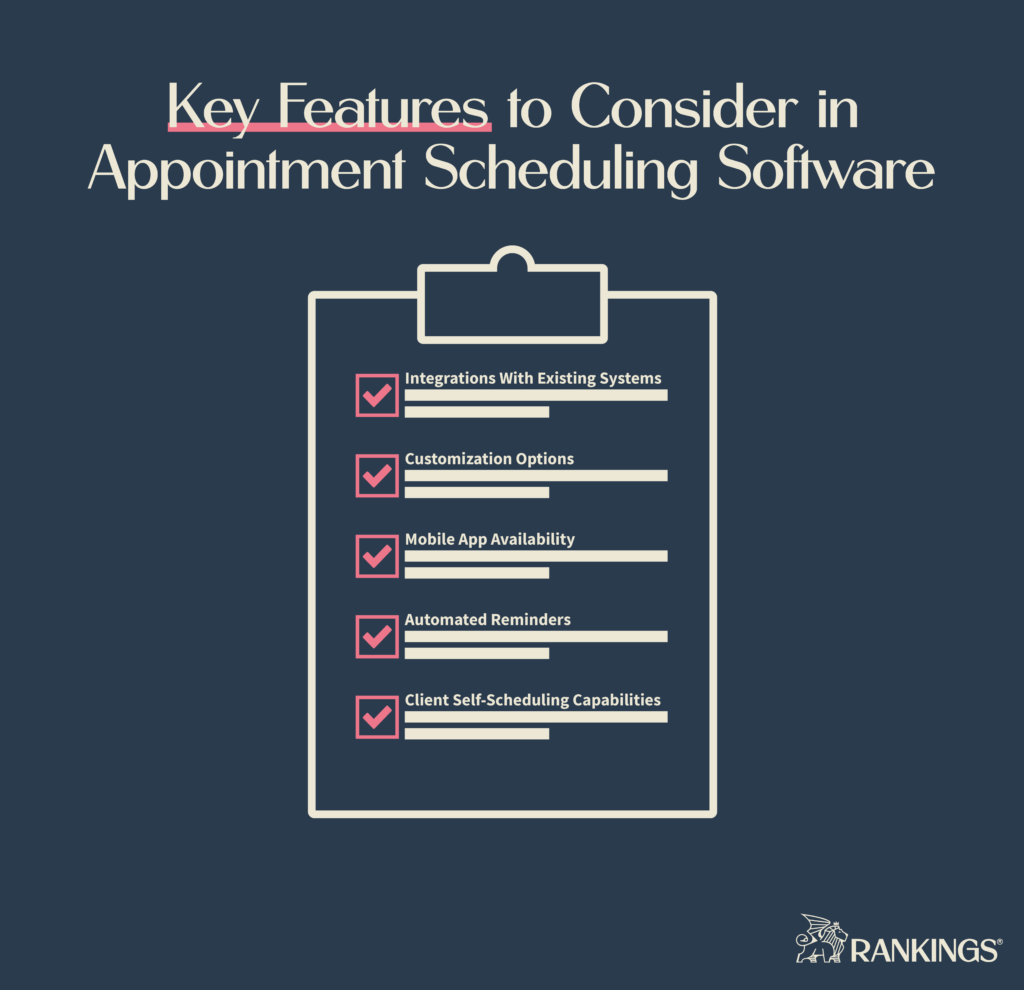
Key Features to Consider in Appointment Scheduling Software

When evaluating appointment scheduling software, it’s essential to consider the features that will best suit your law firm’s unique needs. Here are some key aspects to look for in a scheduling solution:

Integrations with existing systems. Choose a solution that integrates seamlessly with your existing calendar, email, and practice management tools.

Smooth integration ensures that your firm’s workflow remains uninterrupted and your team can easily adopt the new software. It also ensures that data from the appointment can make its way into things like your law firm’s CRM.

Customization options. Good scheduling software should be able to adapt to your firm’s specific requirements. Look for software that allows you to customize appointment types, durations, and availability.

It should also enable you to create custom booking forms and email templates to reflect your law firm’s branding and identity.

Mobile app availability. A mobile app can provide added convenience to both you and anyone who wants to schedule an appointment with you.

Mobile apps allow you and your staff to manage appointments on the go. Booking pages or scheduling links that are mobile-optimized ensure that your clients can easily book appointments from their smartphones or tablets.

Automated reminders. Look for a solution that offers automated appointment confirmation emails, reminders, and follow-ups.

Features like these help reduce no-shows and last-minute cancellations. They also ensure that both your legal team and your clients are aware of upcoming appointments and any changes made to the schedule.

Client self-scheduling capabilities. While this may not be a must-have feature, it’s something that many lawyers could consider.

Allowing clients to self-schedule appointments based on your availability can benefit both sides. On the client side, they can select the time that works best for them. On the law firm’s side, you can reduce back-and-forth communication and potential scheduling conflicts.

Beyond the key features to look for, there are a few factors to weigh before making an informed decision.

Factors to Consider When Choosing Appointment Scheduling Software

Some crucial factors to consider when choosing the right appointment scheduling software for your law firm include:

Pricing and budget considerations. As with any law firm tech tool, your budget is always a factor. Most scheduling tools fall within an affordable range but can become expensive with more team members or features. With that said, investing in feature-rich software can pay off in the long run by saving time and increasing productivity.

Ease of use. The easier a tool is for you and your staff to learn, the faster you’ll start reaping the benefits of the software. Fortunately, most of the appointment scheduling tools on the market are uncomplicated.

Customer support and resources. While most tools are easy to use, complications will inevitably arise. Look for a solution that offers excellent customer support. Documentation, tutorials, and responsive helpdesk services can save you time and frustration in the long run.

Scalability for your firm’s needs. Software should grow with your firm and adapt to your changing needs. Solutions that offer customizable features and integrations that can support your evolving practice are often a better choice than those that don’t.

Streamline Appointment Scheduling for Your Law Firm

Efficient appointment scheduling software is crucial for lawyers. It can help your firm manage time effectively, improve client communication, and provide a seamless experience for clients.

When choosing software, key features, like integrations and automation capabilities, may guide your decision. By following these guidelines, you’ll be well on your way to improving your law firm’s productivity and providing a better client experience.

Appointment scheduling software makes capturing law firm leads easier, but it may not be the only thing your firm needs. You may need effective law firm marketing can increase the number of people filling out your new booking forms and grow your law firm with new clients.

The post 10 Top Appointment Scheduling Software Tools for Lawyers appeared first on Rankings.

How to Improve Law Firm Profitability: 9 Tips to Grow Your Bottom Line

Law firms must look at both revenue and profitability to stay alive and competitive in their region.

Reuters data shows that many firms experienced drops in productivity and profitability over 2022. The more you can focus on activities that improve your law firm’s profitability, the better the chances of thriving in the future.

While revenue includes all money coming into the firm, profitability considers other issues like expenses and average time to get paid.

Getting more clients may help with revenue, but that may not address your underlying issues with profitability. Following the steps below can help you put practices in place across your law firm to protect and keep more of the money you make.

Find the Tasks You Shouldn’t Do and Delegate Them

One common mistake most lawyers make is trying to take on every task in the law firm.

It’s too hard to serve as the vice president of every department in your firm. Doing so dilutes your focus from serving clients and can lead to burnout. Delegating tasks to staff members and outside professionals increase lawyers’ productivity and efficiency.

Your staff alignment and tasks are just as important as monitoring your own work.

Focus on delegating tasks to internal team members based on their strengths and expertise. But don’t stop there. Continue to invest in your team by providing employee training to enhance skill sets.

Sometimes, it doesn’t make sense to task an employee with solving a situation.

It may be better to outsource to other partners for important activities like law firm marketing. You may even choose to hire an outside accountant or bookkeeper to handle important filing deadlines and the details of your financial strategy.

Create and Refine Internal Processes

You’ll have a hard time delegating if you don’t have processes in place to explain the firm’s approach to handling common tasks.

You can reduce overhead and improve efficiency with the right internal processes. Creating these processes is also an excellent time to consider if you need software or automation to assist with repetitive tasks.

Some actions you can take before delegating a process to someone else at the firm include:

  • Analyzing current workflows for performance issues or missing steps
  • Implementing standard operating procedures
  • Reviewing and updating policies and setting recurring times to do so

Once you know where your gaps are with processes and systems, you can leverage technology for even better profitability.

Increase Productivity and Efficiency with Legal Technology

Legal tech tools can unlock greater productivity for lawyers and their staff.

Technology can speed things up, eliminate processes, or remove tedious work that weighs you or your staff down. With the right technology in place, you’re in a solid position to provide better client service while also improving your profitability.

Some of the best ways to do this include:

Through law firm technology, you can make data-driven decisions and ensure more consistency across clients and cases. Choosing the right law firm tech stack doesn’t have to be overwhelming, either.

Accurately Track Time and Monitor Billable Hours

Accurate time tracking is key to understanding the best use of your staff’s time.This will help you maximize your revenue and keep an eye on your billable hours.

There are a few simple steps to setting up a process to track your time, including:

When you know where time is spent, you can find where that time is lost. Once you know that, you can develop a plan to improve team utilization and efficiency.

Set Goals and Keep a Close Eye on Your Financials

Establishing financial goals and closely monitoring performance can keep you on track for sustained growth and stability.

To improve law firm profitability, you need big goals. But those also require looking at ongoing performance to see how you track against them.

One way to start is by setting specific, measurable, and achievable goals through financial planning and budgeting.

Rock-solid financial planning for lawyers should open new opportunities for you.

For example, a great financial plan can help you free up room for your marketing budget. In turn, the money you spend should help grow your law firm.

Creating key performance indicators will help you monitor your goals.

These include financial KPIs such as revenue, profit margin, and billing realization. In addition, look at operational KPIs to make sure you have the right staff working on the right things. These can include things like case turnaround time and employee productivity. Finally, look at client-related KPIs, such as client satisfaction scores and retention rates.

To get the most out of the data you collect, regular reporting and analysis help you identify trends and areas for improvement so you can adapt as needed.

The following factors can grant you deeper insight into your finances:

  • Actual cash flow through financial management tools
  • Cash flow projections and budgets to plan for the future
  • Cost control measures to help reduce overhead costs
  • Optimize your billing cycles to ensure timely revenue generation

These steps might take some initial setup time and ongoing review, but they’ll help you adjust your plans, address problems, and grow your firm.

Prioritize Client Service

Focusing on client satisfaction improves your reputation and can lead to referral business.

A client-centered law firm is one that thinks about the needs, fears, and desires of clients and creates processes and service expectations around those. Delivering a great client experience affects your potential for word of mouth, referrals, and growing a positive reputation.

There are many ways to prioritize client service, but here are a few options for getting started:

  • Maintain open and clear communication channels
  • Set expectations with clients upfront
  • Listen to and act on past client feedback
  • Monitor industry trends regarding client needs

When your clients feel you’re invested in them and their legal problems, they’re much more likely to recommend you to others directly or in reviews.

Offer Alternate Payment Options and Improve Collections

Providing flexible payment options to clients and staying on top of collections can expedite revenue generation.

One TSYS study found that 79% of clients choosing service providers expect to see the same payment options as those offered by major companies. Combine this with the fact that 14% of the hours worked by most lawyers never get paid out, and you have a dangerous combination for lawyers who refuse to adapt.

Meet your clients where they are at with payment plan options.

Only offering payment by check may harm your profitability. Consider credit cards, electronic transfers, and payment plans.

Making it easier to pay you helps clients make their initial decision about who to hire. It also factors into their decision about reviews and referrals. When you provide options, you also enhance profitability since you’re more likely to get paid faster, too.

Some other ways to uplevel your payment offerings include:

  • Implementing automated invoicing and payment reminders
  • Establishing clear collection policies and procedures
  • Monitoring accounts receivable to identify and resolve overdue payments

If a lot of your accounts are in arrears and you’re constantly chasing down clients who owe you, adding more payment options could be a solution.

Invest in Marketing Your Law Firm

Creating and implementing a targeted marketing strategy to attract new clients and expand your firm’s reach.

When you can make the most out of every marketing dollar you spend, you can direct those funds elsewhere while getting a steady stream of clients from your efforts.

Digital marketing tactics like law firm SEO and social media for lawyers, for example, can help you get the word out there about your firm.

Often, lawyers don’t have the time to market properly or feel confused about which methods to use to reach potential clients. Partnering with an outside marketing partner can eliminate this confusion and focus your tactics. A law firm marketing partner can:

With the right marketing expert to guide you, you’ll know your law firm is growing your client base with leading techniques to draw in ideal clients.

Embrace a Culture of Continuous Improvement

When you and your team continue to grow together, you can reap a number of rewards.

If you foster a culture of continuous improvement, you’re firm will be better at adapting to changing market conditions and client needs. There are three simple ways to start building out this kind of company culture.

First is by being open to feedback from employees and clients. This can help you find weak points in your firm and client experience. Using their feedback to implement changes can streamline operations and make life better for everyone.

Second is by staying on top of industry trends and keeping your staff current. You can become a better lawyer and leader by keeping yourself informed. You can also use your position of leadership to introduce industry changes to your firm.

Maintaining ongoing professional development options for your staff gives everyone a chance to improve. A simple way to do this may be by starting an in-office book club where you read some of the best management books for lawyers.

Finally, you can regularly assess and adjust tactics at your firm. Technology, marketing, and even the practice of law are subject to constant change. Understanding your tactics and adjusting them will help you stay competitive in your region and practice areas.

Adopting these practices won’t just increase profitability. It can also promote long-term growth and success as you build a profitable law firm and a great workplace.

Grow Your Bottom Line and Profit

Improving your law firm’s profitability is about so much more than getting new clients.

It requires thinking about your long-term vision and the goals you need to get there. Another component is maximizing your staff’s time and focus while helping them develop in their roles. Finally, setting KPIs and making time to analyze them help you stay on track.

Although there’s a lot that goes into running a modern law firm, making an effort to improve profitability pays off for everyone involved.

Knowing where to spend your time and when to outsource to someone else is a key aspect of that strategy. For more assistance with proven marketing strategies for law firms, contact Rankings.io.

The post How to Improve Law Firm Profitability: 9 Tips to Grow Your Bottom Line appeared first on Rankings.

Hyperlocal Marketing for Law Firms: Unlocking Local Success

Law firms typically serve a specific region. Focusing your marketing efforts on potential clients in that region is a solid tactic to get more out of your marketing spend.

With hyperlocal marketing, you can improve your law firm’s online presence locally.

Taking certain law firm SEO actions and setting up the right kinds of online ads can help your firm attract more clients from your local area.

Hyperlocal marketing targets can be as specific as within a few blocks of your law firm. Or they can be within a particular zip code, neighborhood, or city. The goal is to reach as many potential law firm clients in that area as possible.

Why Hyperlocal Marketing Matters for Law Firms

Many law firms depend upon business from local clients. Having an effective way to reach those people is a cornerstone of growing your law firm.

Hyperlocal marketing is one way to get your messaging out to more people in your local service area.

Hyperlocal marketing for lawyers has both inbound marketing and outbound marketing components. The first increases your visibility through local SEO. The second allows you to better target clients in your region through advertising.

People often look for someone close to them using a near me modifier on Google search. For example, they may search for something like personal injury lawyer near me.

As many as 82% of people on mobile have completed a search like that at least once. You can use hyperlocal marketing to attract that audience to your law firm. When you target local terms on searches, it makes it easier for your ideal clients to find you.

Focusing on local SEO tactics also provides you with an entryway to things like Google Maps.

When it comes to advertising, you can use geo-specific ads to reach your local audience. Google ads for lawyers and legal social media ads allow you to narrow the ad placement down to specific locations.

Get-targeted ads showcase who you serve in that audience. Potential clients want to work with a knowledgeable lawyer in their local region. These ads allow you to join that consideration set.

Hyperlocal marketing does have its limitations, though. It’s only one facet of a well-rounded law firm marketing campaign.

In the SEO arena, hyperlocal marketing gets you in front of people who do local searches on Google. But plenty of people in your area will also search for non-local keywords.

Not focusing on these broad terms means you miss out on local clients who might not use location-specific keywords in other searches. As a result, you could leave a lot of value on the table.

Geo-targeted ads are great if you only want local clients. If you’re trying to get more clients for a national case, such as a mass tort, they won’t be as helpful.

Despite the limitations, hyperlocal marketing still has value. The key is balancing it with other marketing activities.

To make hyperlocal marketing work, law firms need to understand and apply the right tactics.

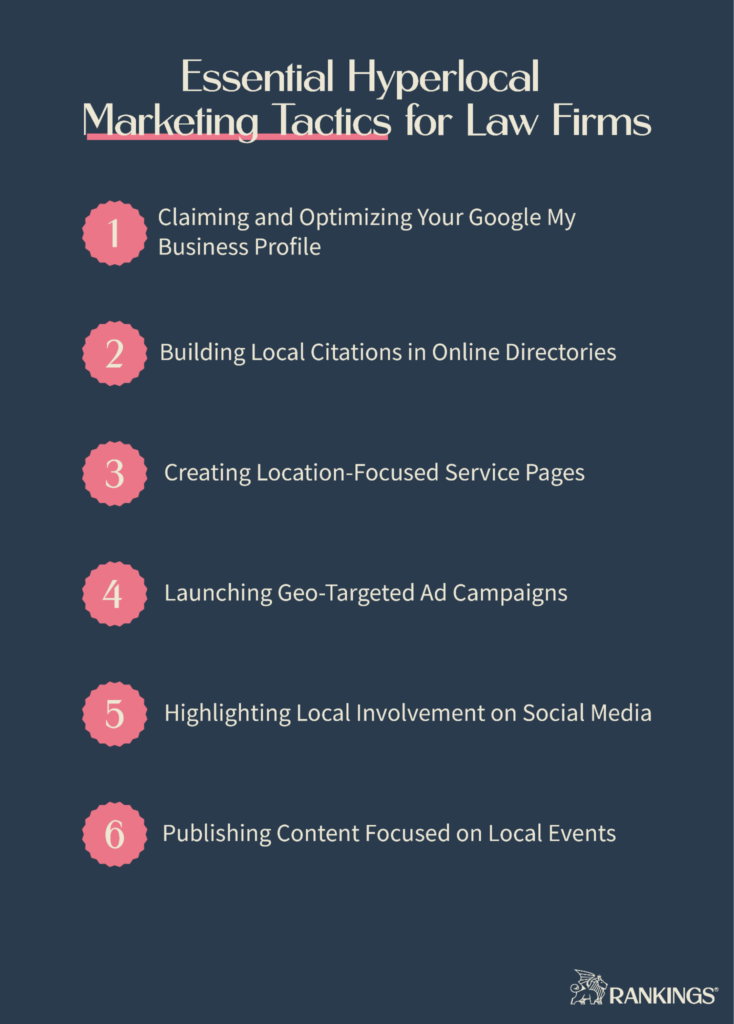
Essential Hyperlocal Marketing Tactics for Law Firms

If hyperlocal marketing is a logical next step for your law firm, there are some main tactics you can implement to get the best results. Following these tips positions your firm to show up as a clear option for your prospective clients.

Claiming and Optimizing Your Google My Business Profile

One of the most important factors in local SEO is your law firm’s Google My Business Profile.

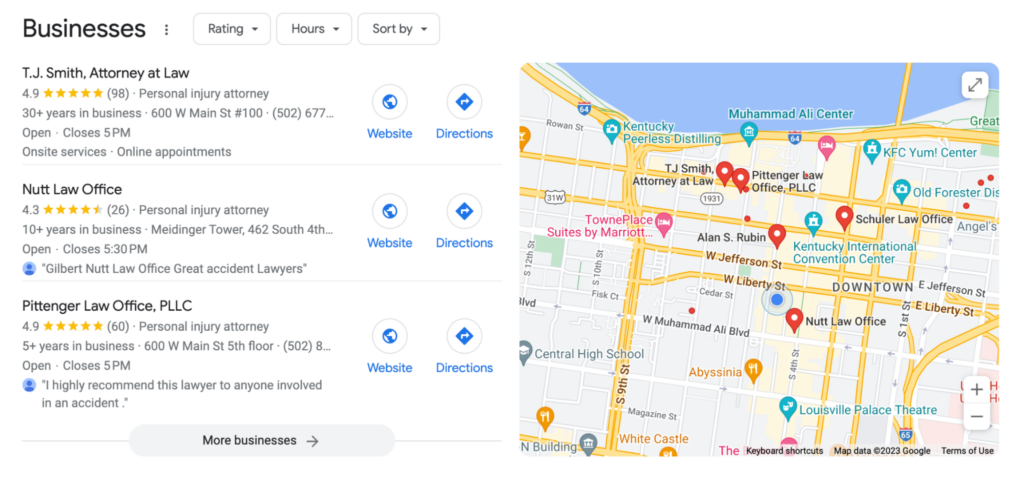
When people perform a local search, businesses with optimized GMB profiles show up in a map pack feature at the top of the search results.

This rich visual element only displays a few law firms at a time in the map pack. It’s also enticing to searchers and can provide them with valuable information about your business.

Having a GMB profile provides you with an entryway to the map results. Optimizing your profile gives it a chance to compete and rank in the map pack.

Your Google Business Profile shows several factors about your firm. This includes your location, phone number, ratings from clients, years in business, and hours. As a quick snapshot, it tells potential clients the basics about your firm and entices them to look more deeply into your law firm’s experience.

Beyond claiming your profile, adding regular reviews from past clients helps support the overall reputation of your firm on Google.

94% percent of people say that positive reviews influence their decision to use a business. This makes law firm reputation management a key part of staying competitive in local search.

In this example of a local search for car accident lawyers, Google displays the business profile for firms close to the searcher. Highly rated law firms are listed to the left of the map despite some firms being closer to the searcher.

For a deep dive into setting up and optimizing your GMB profile, check out our guide to Google My Business for lawyers.

Building Local Citations in Online Directories

Online directories help with your local SEO by confirming that you’re an active business in a specific location. Citations help Google understand your law firm’s context for local searches.

Google looks at numerous factors in determining whether or not your law firm shows up for a local search phrase. This includes your relevance, prominence, and distance.

Citations help Google understand where your firm is situated. This helps their algorithm determine when your firm should show up in local searches and in Google Maps.

Claiming and updating these directories is a relatively simple but important step.

One of the most important places for lawyers to start is with online legal directories. After that, there are a few local business directories that are critical to any business.

Creating Location-Focused Service Pages

If you want to reach people in a certain location, sometimes it’s as simple as calling out that you operate there.

You can do so by creating service pages for each of your practice areas in your city. For example, you could create a page targeting the term car accident lawyer houston.

When people in and around Houston search for help after a car accident, your page could be in the search results. This is true whether or not they use the Houston modifier.

If your city has smaller towns that surround it, you may also create service pages for them too.

Deciding whether to do this depends on two factors. First is whether you want to target that area. Second is whether the search results for that area differ from those for your city.

In larger cities, you might even expand this to neighborhood service pages. If there’s an area within your city with a common name, you may want to create a location page for that area. The same considerations apply here as to targeting surrounding towns.

Launching Geo-Targeted Ad Campaigns

Outside of local SEO tactics, lawyers have a few options for hyperlocal advertising. On both social media platforms and Google, you can create ad campaigns designed to reach ideal clients.

On social media, you can target audiences in specific cities or zip codes. You can also create graphics and ad copy directed to your local market. This allows you to put your services directly in front of your audience.

On Google Ads, you have two different options for reaching your target audience.

Google PPC for lawyers lets you create ads that only show up when someone in a specific area searches for a keyword you bid on. Google local service ads are, as the name suggests, locally targeted by default.

As with all law firm advertising, hyperlocal ads should still follow certain best practices. For example, they need to conform to attorney advertising rules. For the best results, they should also take things like the law firm PPC funnel into account.

Highlighting Local Involvement on Social Media

Attorneys aren’t constrained to just advertising on social media. There are plenty of opportunities for local social media marketing for lawyers.

Posting occasionally about your connection to the community is a good way to build a bridge between your firm and the local audience.

If you participate in local community service or leadership events, take photos of these and share them on social media. This shows a commitment to your local region and helping the people who live there.

From fundraisers to volunteer events and beyond, you can show that your firm’s lawyers are active and compassionate about the area.

Publishing Content Focused on Local Events

Many other resources will tell you that you writing about local events on your blog is a helpful tactic. They may tell you to post things like local news pieces with relevant local keywords.

Doing so can dilute the focus of your site.

Unless the event is directly related to your law firm, it’s probably not worth it. People don’t visit firm websites to read local news. Instead, they want to learn more about their legal issue and how you can help.

If you do want to publish content about local events, there’s a better way.

For example, you can start a scholarship program for local students. You could build a landing page on your website with information on the scholarship program. Then, you could promote and post about it on social media.

In the example above, the motorcycle lawyers at Edgar Snyder & Associates get things right. The firm has a whole page on its website dedicated to motorcycle safety events and community sponsorships.

Measuring and Optimizing Your Hyperlocal Marketing Campaign

Setting goals and tracking performance is important for hyperlocal marketing. In order to tell whether your efforts are worth it, you need to:

  • Set key performance indicators to track
  • Analyze your website traffic and user behavior
  • Optimize and adapt based on data-driven insights

Looking at these metrics helps you see how you’re performing. They also tell you whether you need to adapt your tactics or channels.

It can be hard to keep up with this on your own. That’s one of the reasons why the most successful lawyers using hyperlocal tactics work with an outside law firm marketing expert.

Reach Your Local Clients

Optimizing the dollars you spend on marketing requires thinking about where your clients live, what they want in a lawyer, and how you can stand out from your competitors. Use hyperlocal marketing to help reach these potential clients and improve your local visibility.

As one facet of a broader attorney marketing plan, hyperlocal marketing can get you more business from prospective clients. Work with an expert in law firm marketing to get the most out of every campaign.

Contact Rankings.io to learn more about your options and to get assistance with implementation.

The post Hyperlocal Marketing for Law Firms: Unlocking Local Success appeared first on Rankings.

California Attorney Advertising Rules: What Lawyers Should Know

Getting the word out about your law firm is one of the best ways to grow your law firm.

Across the country, the ABA’s rules determine the rules for attorney advertising. State bar association rules may further modify the ABA’s rules.

Attorneys in California can advertise but must take their state’s rules into account. This is true whether they are advertising themselves or working with a law firm marketing partner.

What Rules Govern Attorney Advertising in California?

The State Bar of California sets the rules for attorney advertising in the state in its Rules of Professional Conduct. These rules are in addition to the national attorney advertising rules set out by the ABA.

California’s current rules went into effect on November 1, 2018, after the CA Supreme Court approved them that May. These rules replaced the previous ones governing California Lawyer’s conduct from 1992 to 2018.

For lawyer websites and other advertisements, look to Chapter 7 of the 2018 Rules. These rules correspond to and replace the previous rules found in section 1-400 of the 1992 Rules.

Rules 7.1 through 7.5 contain important considerations for lawyer advertising. This includes lawyers who have websites and engage in law firm digital marketing tactics.

These rules cover general compliance issues when involved in advertising and solicitation.

Although the rules don’t call out online marketing for lawyers specifically, they still apply. Lawyer websites are subject to the same rules for print advertising in California. They are not considered solicitations on their own but are instead classified as a form of communication.

Breaking Down Chapter 7 of the California Rules of Professional Conduct

Chapter 7 covers many aspects of how a lawyer markets their law firm to prospective clients. It includes guidelines for things like communication about legal services, advertisements, and soliciting.

It also covers disclaimers, fields of practice, and claims made about specialization. Finally, the rules cover the use of firm names and trade names.

Rule 7.1: Communication Regarding Services

Rule 7.1 sets standards around false or misleading communications. California lawyers must make honest and fair statements about their services in anything considered communication or advertising.

This rule also offers the biggest gray area since the key phrase is “not misleading.” Even some factual statements in law firm advertising could still be considered misleading.

Consider a popular concept for personal injury lawyers: “No settlement or verdict in your favor? No fee.

A client may interpret it that they owe no money if that lawyer loses the case, even though the client agreement could include a clause detailing the client’s responsibility for ongoing case expenses.

Similarly, firms often advertise their years of experience as a distinguishing factor. Stating that the firm has “decades of experience” when all the lawyers are starting their careers and it’s only been open for five years is misleading.

Another area where 7.1’s requirements are especially important relates to testimonials, endorsements, and case results. While these really help sell your services to potential clients, each one should go through a careful review process in your firm.

A case result for a prior client could be seen as misleading if it’s shared in a way that would lead a reasonable person to assume an unjustified expectation that they will get the same results. Statements that make it seem like a promise or guaranteed win or outcome with specific dollar amounts can be misleading.

Rule 7.2: Advertising

One of the most important components of the California Rules of Professional Conduct is 7.2 since it applies broadly to many advertising materials. There are four aspects to this rule:

  • Attorney ads must name a minimum of one lawyer’s name
  • The address of that party must also be included on any ads
  • Certain written ads require the words “advertisement” or “solicitation” on them
  • Lawyers cannot promise/give anything of value in exchange for a recommendation

The purpose of mandating one lawyer’s name and address is to show who takes responsibility for the ad.

Although a disclaimer on your website isn’t required, it is a proactive step to take for law firm digital marketing. Many California lawyers use a disclaimer across their website to ensure it’s clear they do not guarantee results.

Rule 7.3: Solicitation

Rule 7.3 outlines what is classified as a solicitation for clients.

California lawyers are forbidden from soliciting in person, over the phone, or through electronic means for the purposes of their own financial gain unless the person you’re contacting is a lawyer or has a close family or previous professional relationship with the attorney.

Further, a lawyer cannot solicit employment through recorded, electronic, or written communication if the person being contacted has made it known they do not wish to be contacted by the attorney or in any case in which the solicitation is considered coercion or intrusion.

Anything you send to someone as a means of soliciting business must include the word “advertisement” on the outside of the envelope.

Rule 7.4: Fields of Practice and Specialization

Lawyers typically avoid using words like “specialize” when referencing their legal practice. In many states, these words can only be used when the lawyer receives an official designation for their practice area.

In California, you cannot call yourself a certified specialist in your practice area unless:

  • You are certified through a Board of Legal Specialization
  • You name the certifying organization in your marketing

The 2019 California Rules of Court state in Rule 9.35 that a certified specialist refers to someone who has a certificate on file from the State Bar of California Board of Legal Specialization or other approved third party.

There is more leeway when it comes to clarifying your practice area. You can state that you do or do not practice specific fields of law so long as doing so does not violate the above-mentioned rules.

Rule 7.5: Using Firm Names and Trade Names

Lawyers cannot use any trade name, company name, or firm name that goes against Rule 7.1.

Attorneys also cannot use any professional designation or trade name that implies or states a relationship with a charitable legal services organization, public service organization, or government agency unless that is factually accurate.

A lawyer also cannot indicate that they have any established relationship with a private company unless that is a fact.

All of these rules have important implications for any online advertising and third-party websites for a law firm.

How These Rules Apply to Online Advertising and Lawyer Websites

Your law firm website and online advertising initiatives can help attract and convert potential clients. Every communication you put out there must be in line with California’s attorney advertising rules to stay in good standing.

The rules apply to the content on your website, law firm social media marketing, paid ads, and other digital or printed materials.

Using a disclaimer on your website is one way to clarify the intention of your marketing statements. An in-house review to verify truthful and accurate information on your website is another important step.

Reviewing any materials discussing past case successes is also important. Testimonials are a powerful way to get clients for your law firm but could be considered misleading if you’re not careful.

Staying Compliant with California’s Attorney Advertising Rules

California’s rules on attorney advertising are straightforward guidelines. Following certain best practices ensures your law firm won’t run afoul of them when advertising your legal services.

These practices include:

  • Reviewing new advertising and marketing materials for accuracy
  • Training staff on advertising rules and ethical guidelines
  • Discussing best practices and ethical issues with any outsourced marketing team

It can be hard enough to come up with new ideas to market your law firm. Working with a law firm marketing agency makes it easier to complete all the to-do list items for your advertising.

A marketing partner with law firm expertise saves you time that’s better spent on legal work. Someone with experience will understand the best ways to market your legal services. Most importantly, they’ll do so in a way that fits California’s compliance rules.

Review Your Website and Marketing for Compliance

If you haven’t looked over your marketing materials lately, now’s a good time to make sure you’re in compliance.

Making sure your advertising is professional, truthful, and ethical is ultimately up to you. Staying informed of changes and adjusting to them is also in your control. By understanding the rules and following best practices, you’ll have an easier time.

One way to take some of that burden off your back is by outsourcing your advertising. Working with someone who understands your business and the rules governing it is key.

A law firm marketing expert, like the ones at Rankings.io, understands what it takes to effectively and ethically manage your law firm marketing.

If you know it’s time to hand off your law firm marketing plans to a qualified expert, schedule a call with Rankings.io today. Let us show you how we can help take your firm to the next level.

The post California Attorney Advertising Rules: What Lawyers Should Know appeared first on Rankings.

AI for Lawyers: How Machine Learning Can Transform Your Legal Practice

The adoption of AI across all industries has been on the rise in recent years.

Between 2020 and 2021, the number of companies using some form of AI in their operations increased by over 50%. AI is transforming the way that many people work, including lawyers.

Some lawyers are hesitant about the impact of AI because of the detail-oriented work they do and the importance of accuracy and critical thinking. But research shows that up to 22% of a lawyer’s current workload could be automated.

The kind of work most AI replaces are tedious and menial tasks. When you decide to implement it in your firm, it can augment your work rather than replace you entirely. You’re probably already using some form of AI in your law firm.

Charting the Rise of AI in the Legal Industry

Historically, AI reaches back to the 1950s, when researchers proposed that machines would one day be able to process information like humans. At that time, early computers were very limited in machine learning.

Machine learning is one branch of artificial intelligence that uses algorithms and data to mimic the way a human learns. Over time, the machine improves its accuracy. That set the tone for the development of the AI world we live in.

In the past 20 years, AI has grown to take over and speed up many tasks. Services that you may use every day, like Google Maps, Siri, and Grammarly, rely on AI. Over 35% of companies already use AI, and the legal industry is no exception.

While the legal industry may sometimes be slow to change, many tools for lawyers have already integrated AI.

Legal research tools with AI now help lawyers find facts and precedents quicker than ever before. AI chatbots handle initial contact with potential clients. Even the discovery and legal document drafting process is being augmented by AI tools.

Will AI Replace Lawyers?

Artificial intelligence isn’t yet advanced enough to replace lawyers. While it may replace or streamline certain legal tasks, it is more likely to augment lawyers’ work than replace them outright.

Traditionally, legal is an industry in which people are uncomfortable with non-human tools. But technology has played a huge part in making the law more accessible to people and speeding up processes.

Many lawyers have already adapted to digital tools like cloud computing, legal CRM software, and e-signatures. Many of these tools make lawyers’ lives easier while improving the client experience.

Artificial intelligence tools aren’t much different.

Lawyers who adapt to using them stand to gain from the efficiency AI could provide their firms. Even then, AI is unlikely to take over some core functions of a lawyer’s job.

Lawyers who learn how to use AI will benefit by advancing their practice and adapting to the demands of managing a law firm.

Emerging Applications and Benefits of AI for Lawyers

AI can be a big booster to productivity for lawyers, especially when it comes to repetitive, tedious, and manual work. Most lawyers don’t enjoy those work tasks, and handing them over to AI-powered tools can greatly benefit a law firm’s bottom line.

The time savings offered by AI can allow you to improve your client experience and serve more potential clients than ever before.

AI tools empower you to provide more services to a broader range of clients. It can also increase people’s access to justice because you can pass on the savings from these manual tasks.

There are several easy ways to dip your toe into the water of AI to see how it works and to gain confidence. From legal research and contact analysis to drafting legal documents, AI can help lawyers and their staff with a variety of tasks.

1. Enhance Document Management Efficiency

Clio’s 2021 Legal Trends Report shows that the average lawyer spends just 2.5 hours on billable work per day. That’s a bottleneck preventing many from growing their firm efficiently. One huge area of time loss is document management.

AI can improve and streamline tedious document management tasks for lawyers.

The more effectively you can save, store, and find legal documents, the less time you or your staff spend hunting things down or discovering mistakes after the fact.

Numerous legal document management tools exist, many with the following features:

  • Automated organization of documents
  • Faster document retrieval through search options
  • Identification of relevant information in each case file
  • Detection of errors and capability to correct mistakes

Document management tools with AI can help you better organize and find important files. Some tools can automatically summarize documents, speeding up many law firm workflows.

Others have optical character recognition (OCR) features built-in. These features allow you to scan paper documents or photos of documents to easily extract important information.

Some tools can even help you generate new documents and forms. Then, they can manage the process of getting all the required signatures on those documents.

Some of the legal tools with AI functions you might want to check out are:

  • Checkbox.ai
  • Nanonets
  • iManageravn
  • Rubex by eFilecabinet
  • LexWorkplace

2. Improve Your Legal Research Capabilities

Lawyers and their staff can spend hours searching for information to support their cases. In a 2020 survey, 84% of litigators said that drafting motions and briefs from legal research is one of their most time-consuming tasks.

Verifying research details is critical for the preparation and success of any case. But not all of that work has to be handled by a human alone.

The good news is that AI in legal research is already common. Many popular legal research tools have AI features built-in. Legal research is one of the biggest areas where many law firms are already using AI tools.

Many modern research tools powered at least partly by AI come with:

  • Advanced search algorithms
  • Contextual understanding of legal terminology
  • The ability to cross-reference multiple sources
  • Data-driven decision making
  • Analysis of historical case data

Your team may be able to save hours on every single case with the right legal research software, tapping quickly into case laws, statutes, and jurisdictions.

Some AI-assisted legal research tools integrate directly with your practice management software, such as Casetext and Fastcase. This means you can research and attach the results to case details with just a few clicks.

3. Streamline Contract Analysis and Review

The details matter in contracts, which is why so many lawyers invest a lot of time in reviewing these documents. AI can simplify contract analysis by taking some of the work off the table for you.

With the right inputs, you can have AI summarize or analyze contracts for you. This can help you spot problem areas quicker than scanning through the document several times. You can still conduct a final review while reducing your overall time spent looking at each document.

Features to look out for with contract review tools include:

  • Detecting inconsistencies
  • Identifying missing clauses or risky language
  • Comparing contracts with standard templates
  • Automatically summarizing key terms

Some tools to check out here are:

  • ChatGPT
  • LexCheck
  • Kira Systems
  • Ironclad App
  • Onit Catalyst

One research study identified that using legal contract review software made lawyers over 51% more productive on first-pass contract review alone.

4. Make Client Communication a Breeze with AI-Powered Chatbots

Many law firms have been early adopters of chatbot technology. Next to legal research, live chat services are one of the most common applications of AI for lawyers today.

Clients often want to research something or find out more about their case before committing to a consultation. 74% of internet consumers say they prefer using chatbots for quick answers to questions. A chatbot can serve those who are not yet ready or willing to place a phone call to your firm.

AI chatbots can improve client communication for law firms. They also give you a better chance of capturing a lead who visits your website. They can also save you valuable time while maintaining positive first-touch interactions with potential clients.

Some of the major benefits of AI chatbots include:

  • Providing instant responses to client inquiries
  • Automating the intake processes
  • Answering frequently asked questions
  • Facilitating appointment scheduling
  • Pre-qualifying clients by learning more about their case pre-intake

Some of the most popular chatbots for lawyers are:

  • LawDroid
  • Chatfuel
  • Outgrow
  • Intaker
  • Smith.ai
  • Zendesk

You can empower your potential clients with the information they need by setting up and training chatbots on your website.

5. Leverage Machine Learning for Due Diligence and eDiscovery

Due diligence and e-discovery can easily swallow up a lot of a lawyer’s time. Machine learning streamlines tasks for both, freeing you up to focus on other things.

Due diligence and e-discovery tools can do things like:

  • Analyze large volumes of data
  • Identify patterns and trends
  • Recognize potential risks or liabilities
  • Reduce human error and bias

Using Ai in your ediscovery process, you can sift through massive amounts of documents. These tools can help summarize the most important points for you and bring key documents and details to your attention.

From identification and collection to production, these tools can make ediscovery easier.

Some tools worth looking into for help with these aspects of your practice include:

  • Relativity
  • Logickull
  • Everlaw
  • Nextpoint
  • Exterro

6. Draft and Edit Legal Documents with Natural Language Processing

Natural language processing simplifies the drafting and editing of legal documents. Properly written legal documents help you present a strong case, but it’s also very time-consuming to look at these documents one line at a time.

Let NLP-powered legal documents tools help with things like:

  • Creating first drafts of legal documents
  • Detecting and correcting grammar and syntax errors
  • Ensuring consistency in language and formatting
  • Analyzing and summarizing complex legal texts

This is one area in which tools have advanced a lot in the past year or so, with AI options more accessible to lawyers than ever before. The highest profile option so far has been OpenAI’s ChatGPT.

Since its release in late 2022, ChatGPT has set the record for the fastest-growing user base of any consumer application. And for good reason, it’s easy to use and affordable.

ChatGPT presents a number of opportunities for many industries, including legal. Lawyers who take the time to learn how to use it can become far more productive than those who do everything by hand.

With the right prompts, it could generate a first draft of legal documents in seconds. To do so requires spending time up front engineering prompts for the tool. Once you’ve dialed in your prompts, you can start drafting.

You’ll still need to review and refine your documents, but the time savings on drafting means you’ll have more time and energy to do so. You can even use ChatGPT to help with this part of the process, speeding things along even more.

ChatGPT isn’t your only option for legal drafting. It may be the most well-known generative AI tool, but lawyers have a few other specialized choices.

Other options include Casetext’s Compose.ai and, for patent lawyers, Anaqua.

There’s no shortage of tools with AI to help lawyers do their jobs more efficiently. With the rate at which AI is growing, even more will emerge. As with any emerging technology, there are some things to take into account with AI implementation.

The Challenges of Using AI as a Lawyer

AI tools pose a number of benefits for lawyers but should be thoughtfully integrated into your law firm’s workflows.

One of the first things to look at is the ABA Model Rule of Professional Conduct 1.1, stating:

“A lawyer shall provide competent representation to a client. Competent representation requires the legal knowledge, skill, thoroughness, and preparation necessary for the representation.”

AI tools don’t live up to this standard yet. Some early adopters may be tempted to hand as much work off to an AI as possible, but a competent human lawyer is still required.

ABA rules also require lawyers to stay aware of changes in the law and its practice. This includes the risks and benefits of working with relevant technology. This includes not just the use of AI but knowledge of the risks presented by things like data breaches and cyber-attacks.

Beyond ABA Rule 1.1, 37 states have also adopted some form of a technical competence rule. AI can assist with enhancing the professional decisions made by individual lawyers. This means using these tools requires educating yourself on their uses.

Next is a potential ethical impact of using AI tools. These tools are driven in part by your data. Some of that legal data may be subject to evidentiary privilege or client confidentiality.

Some AI tools may not have strict enough security measures to protect this data. Fortunately, many tools on the market have built-in security measures. Still, it’s important to vet new AI tools before using them in your law firm.

The future of AI in the legal industry is, to some extent, unknown. But what’s on the immediate horizon are tools that could reduce manual tasks and staff. AI may not replace lawyers, but those who adopt it may have a leg up on those who delay.

Keeping abreast of and adapting to the changes that AI is bringing to law firms will help lawyers and law firm owners stay on the cutting edge. Those who fail to consider the impact of AI are at risk of losing new clients to their competitors.

Implement AI Effectively in Your Firm

AI is still new in the legal industry, but there are already several applications emerging for it.

AI has already improved many repetitive processes for lawyers and will likely continue. Attorneys who use these tools can get more done and serve their clients better. To get those benefits, though, lawyers must take the time to learn how to use artificial intelligence.

There are numerous ways technology can help you grow your law firm. Not all of them include AI features, but top tools for law firms, like a legal CRM and marketing automation tools for lawyers, can help drive productivity at your firm.

The post AI for Lawyers: How Machine Learning Can Transform Your Legal Practice appeared first on Rankings.

Document Automation for Law Firms: A Guide to Simplifying Legal Work

It’s no secret that lawyers have to create a ton of documents during the course of their work.

But the process of drafting and updating documents can be a burden. Lawyers and their staff spend significant time and energy creating documents that are largely the same but for a few details.

If you could get some of that time back, your law firm could become more productive and serve more clients.

Enter document automation tools.

With document automation, you create legal documents faster than ever. You can also build templates to use again and again as needed. And that’s just scratching the surface.

If you want to cut down on the time it takes to create things like client intake documents, contracts, court forms, and even emails, document automation software may be the productivity tool your law firm needs.

Document Automation vs. Document Management

Document automation and document management are related operations. Some of the most popular document management tools for lawyers come with document automation features. Still, they fulfill two different use cases.

Document management tools give law firms a central place to keep their documents. They’re a repository to securely store, share, and organize important law firm files.

Many of these tools also focus on helping lawyers keep documents organized so that they can find and reference them at will.

Document automation helps lawyers create the documents that eventually end up in a document management system.

These tools use everything from fillable forms to templates to speed up drafting. As a result, they allow you to generate documents like briefs, filings, and contracts quickly.

For instance, an estate planning lawyer might use document automation to customize inputs for a person’s will. A personal injury lawyer might use document automation to capture details for a demand letter.

Document management and automation tools can and do work in conjunction with one another. Both can save time, create consistent processes across the firm, and improve your client experience.

Benefits of Document Automation for Law Firms

Document automation brings a variety of advantages to legal practices. The time savings that accumulate from using these tools lead to major benefits down the line.

Enhanced Productivity and Efficiency

If you spend a lot of your time drafting documents, it’s likely that you repeat some work when you don’t need to. Automation helps you cut down on time lost on that repeatable work.

Using document automation to templatize your regular work can save time. The time you save gives you a chance to direct your energy elsewhere in your firm.

Even if it’s using a tool like TextExpander to cut routine 5-minute emails down to 5-second ones, it’s a great way to improve productivity as a lawyer.

Improved Accuracy and Reduced Human Errors

Legal documents require accuracy and attention to detail. If you and your staff draft by hand or use copy-and-paste templates, human errors will crop up.

You can improve your accuracy through document automation.

Automated templates and fillable forms don’t just speed drafting or data entry up. These tools can reduce time spent on correcting mistakes or double-checking that you got everything right.

For example, some document automation tools were designed to automate client intake interviews.

Tools like Gavel and Knackly allow you to set up guided interview forms for new clients to fill in with their information. Once the form’s filled in, the tool creates a brand-new intake document for you.

This not only shortens a time-consuming process but also ensures accuracy along the way.

Faster Client Service and Turnaround Times

The time savings from the benefits above also gives you more time to focus on impactful work.

Automating documents lets you direct your staff’s attention to other, more important matters. By reducing the amount of effort you have to put into document drafting or data gathering, you and your staff have more time to serve more clients.

Imagine that a typical contract takes you three hours to draft and review before sending it to a client. Automating part of that process may cut your time down to one hour. As a result, you can now get things out to clients faster and have room to handle more cases.

Document automation software for lawyers comes with a wide variety of features. To choose the right tool for your law firm, it’s best to determine which features are most likely to improve client services.

Essential Features to Look for in Legal Document Automation Software

There are plenty of document automation solutions on the market for attorneys. This includes both standalone document automation tools and broader tools that include document automation features.

Some of the most common features in document automation tools to consider are:

  • Integrations with systems and software you already use
  • Ease of use and customization options
  • Comprehensive template libraries
  • Collaboration and version control capabilities
  • Security and data protection measures

What matters most when selecting something is determining what you want the tool to do. Having all the features above doesn’t mean this is the best tool for you.

The applications of document automation tools are many and varied. You may want a tool specifically for text snippet replacement to speed up email drafting. In that case, you may not need version control capabilities.

Another consideration when comparing features is the people who will use the tool. Staff members who deal with document creation every day may have a wish list of features that would help their workflows. They may be able to give you real insights into what features they need the most.

Top Document Automation Software Solutions for Law Firms

We’ve rounded up the best document automation software options lawyers could use. Some of these are only for document automation.

Others are grander in scope and incorporate document automation features into a practice management tool.

Lawyaw

Lawyaw’s primary focus is on helping lawyers automate filling out court forms. This tool comes with a library of thousands of fillable forms for courts around the country. It also has add-ons to help lawyers create editable templates in Microsoft Word.

This tool’s user interface is consistently one of the most popular features among lawyers.

One big downside is that the tool doesn’t yet offer client interviews or client-facing. While the simplicity appeals to many, it may not offer enough functionality if you want to automate more than court filings.

Pricing for Lawyaw starts at $70/month per user.

It integrates with:

  • Word
  • Clio
  • Zapier

Gavel (Previously Documate)

Gavel’s document assembly and automation program equips you with template and form creation abilities. You can also create workflows to share across your firm.

One edge it has over some other tools is that you can use guided interviews within the tool. Another helpful feature is that you can populate data in documents from a Google Sheet. It also comes with a Word add-in.

There are no ready-made templates, but Gavel does have a marketplace of lawyer-built automations. Some Gavel users remark that the Zapier integration doesn’t go as far as it could. That integration is only available on a higher-tier plan too.

Pricing for Gavel starts at $83/month for 1 user.

It integrates with:

  • Clio
  • Zapier
  • Google Sheets
  • HelloSign
  • DocuSign
  • Stripe

Knackly

Knackly makes a bold promise to help lawyers cut 90% of their time spent creating documents.

This tool focuses on getting detailed information through client intake and other questionnaires. Then, the tool uses that information to fill in documents each time you make a new one for that client.

You can even get this information from client intake sent to your LPMS so that both systems stay in sync.

This tool has a lot of potential for tech-savvy lawyers. If that’s not you, though, the setup and initial customization may be overwhelming.

You can use the tool for guided interviews and complex automated documents, but you’ll pay for that privilege.

Pricing starts at $499 for a jumpstart package to set things up the way you want and then $75/month after that. On the plus side, it has a Word add-in and open API.

It integrates with:

  • Clio
  • Zapier
  • Filevine
  • Word

TextExpander

TextExpander is an incredibly powerful text replacement tool. While it wasn’t built with lawyers in mind, there’s a ton of value you can get out of it.

TextExpander lets you set trigger phrases for snippets of text that you set up in the app. You type the trigger, and TextExpander replaces it with your snippet.

That may not sound very impressive, but TextExpander also lets you set variables in your snippets. Variables can be things like dates, times, or even fillable text.

This tool is helpful if you repeatedly share the same kinds of information. You could generate entire documents with TextExpander or keep it simple with things like your email signature.

If you often send clients information like how to book a call or what to expect once a case is filed, TextExpander can make it as simple as typing a trigger phrase.

The pricing starts at $3.33/month. If you’re not sure whether it’s the right tool for you, you can take advantage of their 30-day trial.

TextExpander is a standalone tool that doesn’t have integrations. Considering its purpose as a text replacement tool, integrations aren’t a must-have here.

Clio

Clio logo

Clio is a law practice management tool that has document automation features within it. If you want to use one tool that covers multiple aspects of your practice, something like Clio may be a good fit.

Clio could be your one-stop shop for your law firm if you don’t yet have secure client communication, billing, or calendaring.

The native document automation inside Clio is good but takes some time to get used to. You’ll need to allot time to train your staff on how to communicate with Clio’s field requirements. It is missing a client-facing interview unless you upgrade to Clio Grow.

Clio also owns the document automation tool, Lawyaw. There is a way to combine both tools, but Clio isn’t clear on whether there’s a discount on Lawyaw when bundled.

Basic pricing on Clio’s EasyStart program is $39/month. Automated intake and other document template forms only come with the complete plan at $129/month per user.

Clio integrates with:

  • Lawyaw
  • LexWorkplace
  • CallRail
  • AxelGo
  • LawDroid Builder

Smokeball

SMOKEBALL logo

Smokeball is another fully-featured law practice management software. It handles billing, document generation, and overall case management.

When it comes to document automation, Smokeball has a few nice features. You can create custom forms specific to your law practice. You can also tap into their existing library of thousands of template documents, cutting down on your initial setup time.

For document automation, Smokeball integrates with Microsoft Word. It also integrates with:

  • LawPay
  • QuickBooks
  • Infotrack
  • Zoom
  • Smith.ai
  • RingCentral

Smokeball’s pricing with document automation features starts at $99/month.

NetDocuments

netdocuments logo

NetDocuments is a cloud-based software for legal documents with built-in document automation. This could be a great investment if you need both in your office and want one software that covers the full range of your document needs. The tool comes with in-depth version control, secured sharing, and automatic email filing.

NetDocuments recently acquired Afterpattern, a key player in law firm document automation. This acquisition means you can get the best of both document management and document automation through their PatternBuilder tool.

One of the best things about PatternBulder is that it doesn’t require any coding knowledge to get a lot out of it. You can even create complicated legal documents with conditional logic. You can build databases within the app and include as many as thousands of rows of input.

This one comes with a Word add-in, too. Further, you can also set up portals to share with your clients for self-service.

NetDocuments has custom pricing, so you’ll need to schedule a meeting with their team to determine which features you need.

NetDocuments integrates with:

  • LegalSense
  • Office365
  • PracticeLeague
  • ActionStep
  • Clio
  • DocuSign

Speed Up Work with Document Automation

Document automation is a valuable investment for law firms. By speeding up the document creation process, you and your firm can become more productive and deal with a greater volume of cases.

But document automation is just one aspect of using technology to get more things done in your law firm. It’s not the only way to save more time and serve more clients.

Combining document automation with other tools for lawyers can help you build a more efficient firm.

For example, Practice management software and legal research tools can make working cases easier. A legal CRM and live chat for lawyers can boost your law firm marketing engine. Timekeeping tools for lawyers can help you stay more productive and on top of billable hours.

The post Document Automation for Law Firms: A Guide to Simplifying Legal Work appeared first on Rankings.

9 Best Live Chat Apps for Lawyers (and Features to Look For)

When someone lands on your website, it’s important to build a connection with them as quickly as possible. Live chat is one way to do that by providing assistance to potential clients when they need it.

Only 6% of law firms leverage live chat on their websites, with the majority of these chat tools handled by virtual receptionists. Having a chat feature on your law firm website could give you a leg up on the competition. Live chat offers help and interaction with your law firm from the moment someone clicks on it.

Live chat is a useful tool for lawyers who want to enhance the client experience. It could increase your conversions and improve your law firm’s efficiency through marketing automation.

Many people see a binary choice between live chat and chatbots, but the two can coexist on law firm websites.

With live chat, a potential client communicates with a real human agent. With a chatbot, the tool recommends resources to help the visitor or helps them book a consultation. Many chat services offer both options, meaning you can leverage bots for quick answers and the expertise of a real person for serious legal questions.

Why Live Chat Matters for Law Firms

Live chat is powerful for creating an immediate connection with certain potential clients. While a chatbot directs someone to learn more about their issue on their own, live chat provides a personalized connection.

Some prospective clients may land on your website and not see what they’re looking for immediately. No chat option means you miss out on interacting with them and directing them to the resources they need.

Other people may land on your site ready to talk to someone at your firm right away. Having a chat option gives them one more convenient way to reach out to you.

Live chat’s ability to forge connections with prospective clients isn’t just helpful to them. It can improve your client experience and increase your conversions. By helping website visitors out, you become a trusted service compared to all of your peers without chat options.

Live chat can be beneficial, but not all live chat tools come with the same features. Finding one that works well for you and your prospective clients is key.

Key Features to Look for in a Live Chat App

There are some essential features in any live chat app to consider when you want to add that functionality to your law firm’s website. These include:

  • Integration with your law firm’s CRM
  • Customization and branding options
  • Mobile optimization
  • 24/7 availability and support

Having these basic features is a necessity.

The first gives you the ability to track new leads. The second makes the chat feature personalized to your site rather than looking like another generic popup. The third makes it so visitors can interact with the feature regardless of device.

The fourth key feature ensures coverage no matter when someone initiates a chat. With some chat software, you or someone at your firm must operate the tool yourself. Other services are totally hands-off, with a live operator handling every chat. Others have a hybrid option where your team can handle chats during the work day, and an operator handles anything during off hours.

Many chat tools have other, more advanced features, but the ones above are critical. The right chat software for your firm should provide a good experience for your clients and any staff managing responses.

Top Live Chat Apps for Lawyers

Live chat is a popular feature for law firm websites. As such, there are plenty of companies that have designed tools to plug into your website. We rounded up some of the best options out there to help you compare tools.

When you make the investment in law firm live chat software, you want to select something that functions well, is easy to use, and fits into your budget.

1. ApexChat

ApexChat’s software isn’t designed specifically for lawyers, but that shouldn’t take it out of consideration. Many types of law firms have this software on their sites, including immigration, personal injury, and criminal defense lawyers.

The company provides its own live chat agents and software platform for you. This means that setup is fast and easy. It’s also hands-off after setup.

ApexChat doesn’t publish its exact pricing, but you can pay per chat or per lead once you contact the company. Some of the best features include live call transferring, text alerts for clients, and chat in both English and Spanish.

2. HubSpot

If you already use HubSpot for your law firm CRM, there’s no need to add other software to get live chat capability.

Set up for this live chat is simple and free. It also has the bonus feature of tracking your lead’s journey through the law firm marketing funnel inside HubSpot’s CRM.

Although the chat plugin is free to start, it does have limitations. Depending on how many CRM and email marketing functions you need inside HubSpot, you may need to opt for a paid plan.

You can use a chatbot that you set up, a live chat, or a blend of both. This offers a wide range of customization, so you can test what works. A chatbot can cover you when your office is not open, too. This opens you up to receiving more inquiries from potential clients during off hours.

3. Ngage

Ngage is made for more than just law firms, serving over 8,000 companies. Still, a big part of their customer base is in the legal industry.

This company provides trained operators to staff your chat. They can provide information and know-how to drive someone towards converting into a client.

With this service, Ngage’s agents collect some information that you would gather during the intake process. They then summarize the conversation and turn it over to your team.

The utility of that option depends on your firm’s needs. This hands-off chat-to-intake process might be a timesaver for some firms. Other lawyers may want control over the initial conversation experience since it mirrors intake to some extent.

Ngage charges custom rates on a per-lead basis rather than per-chat. Some of the best features are:

  • Integrations with social media, CRMs, and legal directories
  • Around-the-clock operators
  • A self-serve portal
  • Chat-to-call functionality
  • Google Ad chat capability
  • Instant callback

4. LiveChat

Although LiveChat is not law firm-specific, it’s very easy to set up. The service also has a track record with over 25,000 companies worldwide. LiveChat also has over 200 integrations, including Zoom, HubSpot, Mailchimp, Calendly, and Slack.

You can start with a $20/month plan, but it may not include all the features you’d like. If you need longer live chat history and advanced reporting, you’ll need to pay for the $41/month or the $59/month plans.

This one gets points for its ticketing system, reporting capabilities, and customization options. It also offers a mobile app for chatting.

5. Intaker

Intaker stands out among its live chat peers not only because it’s specifically for law firms but for its focus on video features.

Instead of a static chat box, visitors see a prerecorded video of someone at the firm. This gives potential clients the impression that a real person is having a video call with them.

This extra functionality means you’ll pay more to use it than other live chat tools. The basic plan begins at $195 a month. You can choose either a flat rate or qualified leads-only pricing.

The biggest advantages of Intaker are:

  • The ability to leverage AI-driven chatbots
  • Ease of setup
  • Customizable conversations
  • Lead qualification
  • Instant calls and callbacks

Intaker also provides immediate notifications for new leads. If you’re running ad campaigns at different phases of the marketing funnel, you can adjust the conversion focus of the chat, too.

Here’s an example of Intaker live on Miley Legal’s personal injury website. Unlike other chat tools, this one looks like lead attorney Tim Miley is talking directly to you. It’s eye-catching and makes visitors pause for a moment to decide if they’re ready to chat.

6. Zendesk Chat

Zendesk is well-known as a key player in customer support for numerous industries. While this chat tool is not specific to law firms, you can customize it to suit your needs. The tool also comes with AI chatbots that will hand chat to a live agent if they’re unable to answer a visitor’s questions.

Their live chat agents can handle web-based, social media, and mobile inquiries. Their plans start at $49/month for an agent.

Zendesk comes with some very helpful features, including its simplicity to use, automated triggers and offline forms, visitor lists, chat ratings, and file sending.

7. Smith.ai

Smith.ai is a virtual receptionist veteran in the legal industry with many happy customers and good reviews.

They keep live agents on duty 24/7 to staff your chat. But these live agents can do much more, depending on your needs. They have workflows for lead qualification and can integrate with your CRM, calendar, and even billing tools. You can also log every conversation in your CRM and look over instant chat transcripts from the past.

Smith.ai customers pay on a tier that includes a maximum number of live chats initiated per month. The starter plan is $140/month for up to 20 chats, and the service charges $7/chat after that.

8. Intercom

Intercom’s been in virtual customer support since 2011. Their tool isn’t only for law firms, but many big companies use their services with success.

The company’s main goal is to engage potential clients in chat, providing a personal touch and focusing on conversions from quality leads.

Some of the top features include SMS marketing, targeted customer segment campaigns, and marketing automation. You can also integrate with Zapier, Mailchimp, Google Analytics, and many more.

The basic pricing packages for Intercom start at $38/month.

9. Client Chat Live

Client Chat Live was created for lawyers by lawyers with the idea that many law firms need to respond right away to prospective clients.

Most small law firms can’t afford to lose out on legal inquiries that come in during nights and weekends, but Client Chat Live makes that a cinch. They offer flat rate pricing, but only on request.

Their best features are:

  • Branded chat boxes
  • Text-to-chat
  • Easy setup
  • 24/7 operators
  • Customizable responses
  • Discreet popups
  • Monthly reporting
  • Immediate chat transcripts

Live Chat vs. Chat Bots vs. Virtual Receptionists

Compared with live chat, chatbots have limited functionality. The simplest ones are preloaded with responses to common questions. More complex chatbots may use AI to answer simple queries from visitors. These tools are most helpful for answering simple questions or for directing your visitors to certain resources on your website.

For deeper questions, live chat is far more useful.

In many cases, chatbots and live chat can complement one another. Many chat tools use both options to serve different visitors’ needs. A chatbot greets the visitor and answers simple questions. If the visitor has a more complex issue, the chatbot can forward the chat to a live agent.

If you look at features, plenty of live chat services blur the line with law firm answering services, too. For example, some virtual receptionist services will handle chat for you 24/7 or anytime your office is closed.

Getting the Most Out of Live Chat Features

Live chat can assist with getting more clients for your law firm. They may be easy to deploy, but getting the most out of the feature depends upon following certain best practices.

When someone visits your lawyer website, a major goal is ensuring they have a good experience. Improper use of live chat tools can actually make the client experience worse.

Obtrusive, slow-loading, or annoying live chat boxes can detract from the client experience. They can even encourage someone to leave your website.

Here are a few important tips to get the most out of your law firm website’s live chat feature:

  • Make sure the chat box doesn’t take over the whole screen
  • Position the chat box in the corner and allow people to close it if they want
  • Keep the chat box big enough to see but small enough not to block content on the page
  • Use an image of a real person at your firm to create a personal connection

Ironically, here’s an example of what not to do from Client Chat Live.

Their chat box fills almost the entire screen and includes too much information. It also presumes that a visitor wants or needs to chat with someone. It’s impersonal by way of informing the reader that they can connect with a “representative online agent” rather than using a real person’s name.

The personal injury lawyers on this website get it right in the example above.

Their chat feature is a small box in the corner that only enlarges to this size when the reader hovers over it. The opening invite to chat is short and to the point. It also makes it clear that initiating a chat connects the reader with an actual person.

Connect with Clients via Live Chat

When set up correctly, you can capture more leads using live chat for your law firm. You can form a connection with a prospective client that informs and educates them while highlighting your firm’s communicational skills.

Your law firm website is one of your best marketing tools. The more you can leverage marketing automation on your site, the easier it is to connect with and serve ideal clients.

But live chat is only one part of having a great law firm website. From design to SEO for lawyers and beyond, your law firm website should help clients and position you as a thought leader in your practice area.

The post 9 Best Live Chat Apps for Lawyers (and Features to Look For) appeared first on Rankings.

Financial Planning for Lawyers and Law Firms

A key component of growing your law firm and hitting your personal and professional goals as a lawyer is financial planning.

Financial planning is a major part of any law firm’s business plan. Having a plan gives you the best chance of keeping your firm’s doors open. It also allows you to plan for important activities that will help you scale.

By implementing proper budgeting, investment strategies, and tax optimization, you can achieve long-term success and financial stability.

The Importance of Financial Planning for Lawyers

It takes a lot of work and risk to set up and run a successful law firm. Taking on that risk is worth it for the potential return, but it starts with a sound financial plan.

Lawyers have great earning potential but often struggle to set aside money early in their careers. This can force lawyers to work longer than they’d like before hitting retirement. If you’re investing your cash into managing your own law firm, these issues may be amplified.

Lawyers also face high rates of burnout and potential malpractice lawsuits. Both of these factors can hamper their ability to earn and grow their assets.

Proper financial planning can help minimize these problems.

Only one-third of Americans have a financial plan for themselves. Of those who have a financial plan, 65% say they feel stable compared with their peers.

To get to that stability, you need financial planning. Having a plan ensures financial security and can help you meet your personal and professional goals.

Beyond individual strategies, many lawyers must also consider the finances of their business. Lawyers need a financial plan to handle things like overhead, operating expenses, business debt, and taxes.

At the business level, lawyers may want to consider ideas like:

  • Creating cash reserves to help with cash flow issues
  • Exploring temporary lines of credit to pull from in case of emergency
  • Forecasting large expenses ahead of time
  • Making plans for partner distributions or reinvestment into the firm
  • Planning for ROI-positive spending, such as developing a law firm marketing budget

Creating a comprehensive financial plan for your law firm requires you to consider a number of factors. Budgeting, saving, taxes, and how you manage your debt are the biggest components. In many cases, seeking the help of a financial expert is the best choice for lawyers who want to build a thriving practice.

Budgeting and Expense Management

Budgeting is a fundamental part of business plans for lawyers and law firms. Planning ahead for your spending and tracking actual costs is vital for keeping your law firm in the black.

A comprehensive budget helps you plan for the fixed and variable costs of operations. With it, you can plan for things like office rent, utilities, insurance, and staffing.

But creating a budget and tracking expenses won’t just keep your firm at a subsistence level. You’ll also be able to identify areas for cost reduction and find room to invest in the things that can help your firm grow.

For example, you may see time and money lost on unproductive labor during the client intake process. You may also see a decline in billable hours due to productivity losses. You could look in your budget and see if their room to buy client intake software to help make your staff more productive in this step.

Or you may want to increase the number of new clients coming to your firm. To do so, you can look at your budget to determine how much room you have for law firm marketing.

Making room in your budget for investments that drive progress forward can lead to long-term law firm profitability. Over time, these investments should reduce costs and grow revenue.

Of course, budgeting not only helps with expense planning and revenue generation, but it also shows you where you can earmark cash for savings.

Savings and Investment Strategies

Establishing savings and investment strategies tailored for lawyers is crucial for building wealth and achieving financial goals. You can get started with some basics and grow your plans over time.

Individuals lawyers can start by:

  • Setting up an emergency fund
  • Diversifying investments, including retirement plans and accounts
  • Seeking professional advice for customized investment plans
  • Reevaluating and adjusting strategies regularly

At the firm level, you can do things like:

  • Setting up business account savings goals for unanticipated expenses
  • Creating a detailed strategy for succession planning options
  • Diversifying firm investments

Your savings and investment strategies help you when you hit an unexpected slow period or go through an illness or injury. They also help you stay on target for your intended retirement age.

In addition to saving funds, planning ahead for taxes can increase your bottom line and enhance your overall financial planning.

Tax Planning and Optimization

Effective tax planning is vital for lawyers and law firms that want to minimize liabilities and maximize savings.

There are many ways you can learn more about tax implications for the legal profession. The best thing to do, though, is to hire an expert financial professional. They can advise you about federal and state impacts on your tax planning and help you develop tax strategies that work for you and your firm.

Every dollar saved improves your law firm’s profitability. It’s worth hiring an outside expert to help you with:

  • Utilizing tax deductions at the firm and individual level
  • Exploring tax-advantaged retirement accounts
  • Looking at other tax-saving strategies

By minimizing your taxes, you have more dollars to reinvest in the firm. This can help you grow your business more quickly. But another essential way of getting a handle on your financial picture is to reduce your debt load.

Debt Management and Repayment

Managing and repaying debt, particularly student loans, is a critical component of financial planning for lawyers. The average law school graduate carries around $165,000 in student loan debt. You may also have personal debt or professional debt that you took on to open your firm.


The first steps towards managing your debt as an individual lawyer are to:

  • Assess the total amount of debt and prioritize repayment
  • Consider refinancing options for lower interest rates
  • Create a repayment strategy tailored to individual circumstances

At the firm level, continue to look at revenue, savings, and debt together. Reducing debt is a top goal for many law firms. This is especially true if your firm took out credit cards, loans, or working capital to get through a difficult time or to expand into a new area.

When you create and commit to a plan, there’s a much higher chance you’ll follow through. While debt management and repayment is only one part of your financial plan, it’s an important one.

It can seem overwhelming to address all these aspects by yourself. That’s why plenty of lawyers choose to seek the financial advice and services of experienced professionals to help with many aspects of financial planning.

Collaborating with Financial Professionals

You may not be aware of every strategy and tool out there to help you with your finances. Further, the world of finance changes and adapts over time—sometimes drastically.

That’s why it’s best to work with a financial planner who can help you see what you need right now as well as what you may need in the future.

Experienced financial advisors can provide valuable insights and guidance for lawyers and law firms in their financial planning journey.

Having someone in your corner positions you to weather storms, adapt to changes in your situation, and stay on track with your big financial goals.

Put Your Best Foot Forward with Your Finances

Financial planning is essential for both individual lawyers and their law firms. It’s a critical part of achieving financial stability and long-term success. Once you’ve created a financial plan, you may feel more confident about your firm’s future.

Implementing proper budgeting, investment strategies, and tax planning can improve your firm’s financial well-being.

Marketing and client acquisition is a big part of this long-term stability. Investing in activities that bring in new clients grows your law firm and sets you on a path to profitability. Setting aside a part of your budget from growth tactics like law firm marketing can help put your business on firm financial footing.

The post Financial Planning for Lawyers and Law Firms appeared first on Rankings.